
Home / Guides / Compress without losing quality
How to Compress a PDF Without Losing Quality
Every compressor trades size against fidelity — the skill is paying as little quality as possible for the size you need. RayoPDF gives you four explicit levels for exactly that, and RayoPDF is designed to preserve text and vector content while reducing the size of image data. Here is how to land the gentlest setting that still fits, with RayoPDF doing the work locally.
What the four levels actually do
Low touches the file lightly and keeps high quality — the choice for printing and archival copies. Medium balances both and suits everyday sharing. High, the default when you pick nothing, compresses strongly for email and uploads. Maximum chases the smallest possible file and may visibly soften images. Pick your level before dropping the file in.
The step-up method
Start one level gentler than you think you need — usually Medium — then check the result at 100% zoom on the most demanding page: small text, charts, signatures. If the file is still too big, re-run the original one step stronger. Never compress an already compressed file: each generation loses a little more, while the original always gives the cleanest result at any level.
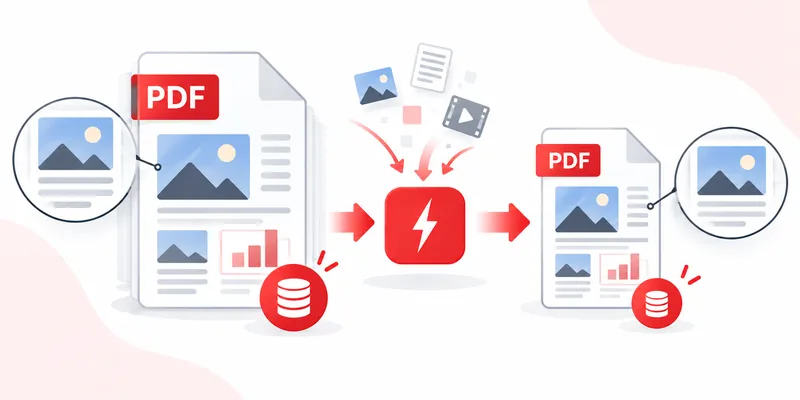
What RayoPDF aims to preserve
RayoPDF is designed to keep three things intact: your words (text and fonts keep their appearance), your structure (page count, order and orientation), and your original file (the download is a separate -compressed.pdf copy). Only image detail — photos, scans and screenshots — can soften, and only at stronger levels. That is why image-light documents can drop through Maximum looking untouched, while photo-heavy ones deserve Low or Medium.
Common mistakes
- Going Maximum first. Strongest-first wastes the clean result a gentler level would have given. Work upward.
- Judging quality from thumbnails. Tiny previews hide both problems and quality. Zoom to 100% on real pages.
- Re-compressing instead of re-running. Generational loss is real — always feed the original.
- Forgetting the print test. If the recipient prints, print one page yourself at the chosen level before sending.
Frequently asked questions
Which level keeps the best quality?
Low. It applies the lightest touch while still trimming genuine waste. Use it for anything destined for print or archive.
Does compression change my text or fonts?
No. RayoPDF is designed to preserve text, fonts, page order and orientation while reducing the size of image data.
Why does Maximum look fine on one file and bad on another?
Because quality loss depends on image content. Text-heavy files sail through Maximum untouched; photo-heavy ones show it. Match the level to the file.
Related reading
Back to all PDF guides, keep going with How to compress a PDF and How to Compress a PDF for Email, or jump straight to the free PDF compressor.