
Home / Guides / Why is my PDF so large?
Why Is My PDF So Large?
Two PDFs with the same page count can differ in size a hundredfold — and the page count is almost never the reason. File size reflects what is inside: photos, scans, fonts and embedded objects. Once you know which ingredient dominates your file, the fix is obvious — and usually a single pass through RayoPDF.
The usual suspects, ranked
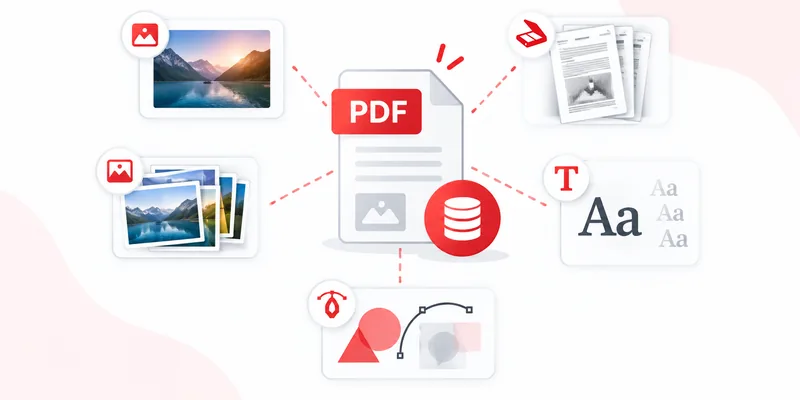
1. Images. High-resolution photos embedded at full size are the top cause by far. A single phone photo can outweigh the rest of the document combined.
2. Scanned pages. Every scanned sheet is one big photo — see how to compress a scanned PDF.
3. Fonts. Fully embedded font families add noticeable weight, especially with several typefaces. Small compared to images, but real.
4. Embedded content. Attachments, annotations, form data and revision history accumulate silently across edits.
5. Text itself. Effectively free. A hundred pages of plain text is smaller than one uncompressed photo.
Diagnose your file in one minute
Check the file size first for a sense of scale, then look at the pages: full-page photos or visible scan grain point at images; selectable, searchable text points at fonts and embedded content instead. If the file is image-heavy, compress it with RayoPDF starting at Medium. If it is text-only and already small, no compressor on earth will find much — the file is already lean, and that is a good outcome.
What actually helps (and what does not)
- Helps: re-encoding oversized images — exactly what RayoPDF does — plus removing pages you do not need before compressing.
- Helps little: zipping the PDF. ZIP barely dents already-compressed image data.
- Does nothing: renaming the file, or re-saving without changing content.
- Backfires: screenshotting pages into a new PDF. That converts crisp text into heavy images — the opposite direction.
When a large file is correct
Sometimes heavy is legitimate: print-ready files with high-resolution artwork, archival scans kept at quality, or documents with many embedded fonts for exact reproduction. Compress a copy for sending and keep the rich original for print and archive. If quality is the priority, read how to compress without losing quality before choosing a level.
Frequently asked questions
Why do two similar PDFs differ so much in size?
Because size follows content, not page count. One embedded phone photo can outweigh a hundred text pages.
Will compressing remove pages or change order?
No. RayoPDF preserves page count, order, orientation, text and fonts — it re-encodes images and rebuilds internal structure.
My PDF is small but I expected smaller. Is something wrong?
No — a text-only or already-optimized file has nothing left to squeeze. RayoPDF returns it untouched rather than making it worse.
Related reading
Back to all PDF guides, keep going with How to Compress a PDF Without Losing Quality and How to compress a PDF, or jump straight to the free PDF compressor.